

A major climate shift may be on the horizon. According to AccuWeather, conditions are aligning for a potential El Niño to develop in 2026—bringing with it widespread and often unpredictable impacts across the United States.
What is El Niño?
El Niño is part of a larger climate pattern driven by warming ocean temperatures in the Pacific. As those temperatures rise, they disrupt global weather systems—shifting storm tracks, altering precipitation patterns, and increasing volatility across regions.
What Could El Niño Mean for the U.S.?
If El Niño develops, businesses should prepare for less predictable and more uneven weather impacts, including:
- Shifts in storm patterns and severity
- Potential suppression of Atlantic hurricanes—but not elimination of risk
- Increased rainfall and flooding in some regions
- Drought and prolonged heat in others
- Peak impacts building into late 2026 and early 2027
The key takeaway: this is not a “one-risk” scenario—it’s a volatility scenario.
What El Niño Means for Business Continuity
El Niño challenges a common assumption in resilience planning: that risk follows predictable seasonal patterns. Instead, organizations may face simultaneous or unexpected disruptions—from flooding and power outages to supply chain delays and workforce displacement.
Resilient businesses don’t try to predict every outcome—they prepare across core operational dependencies:
How to Prepare for El Niño: 5 Pillars of Resilience
1. Power: Plan for Outages—Not Possibilities
Severe storms, grid strain, and extreme heat all increase the likelihood of outages.
Recommendations:
- Secure backup power solutions (generators, fuel supply)
- Test failover capabilities before peak storm season
- Identify critical systems that must remain operational
2. Connectivity: Stay Online When Infrastructure Fails
Connectivity disruptions—whether from fiber cuts, network outages, or infrastructure damage—can halt operations instantly.
Recommendations:
- Establish redundant connectivity (LTE, satellite, or secondary providers)
- Ensure remote access to critical systems and data
- Validate network failover through regular testing
3. Communications: Control the Narrative Before and After the Storm
Clear, timely communication is essential to maintaining trust and reducing confusion.
Pre-event:
- Define communication protocols and escalation paths
- Segment audiences (employees, customers, stakeholders)
- Pre-draft messages for likely scenarios
Post-event:
- Provide real-time updates on operational status
- Share recovery timelines and next steps
- Maintain consistent messaging across all channels
Tools matter: Platforms like MyAgility enable organizations to send targeted email and SMS alerts to specific groups—ensuring the right people get the right information at the right time.
4. Workspace: Ensure Operations Continue—Anywhere
Flooding, storm damage, or unsafe conditions can make primary facilities unusable.
Recommendations:
- Pre-arrange alternate workspace solutions (mobile offices, recovery centers)
- Enable remote work capabilities with secure access
- Identify critical roles that require physical space vs. remote flexibility
5. People: Turn Plans into Action Through Practice
Even the best plan fails if teams don’t know how to execute it.
Recommendations:
- Conduct regular tabletop exercises (2–4 times per year)
- Simulate a range of scenarios—not just one type of disruption
- Clarify roles, responsibilities, and chain of command
- Identify gaps in decision-making, communication, and response time
Tabletop exercises ensure your team doesn’t just have a plan—they can execute it under pressure.
Resilience is the Advantage
El Niño is a powerful reminder that disruption doesn’t follow a script. As climate patterns shift, so do the risks businesses face.
The organizations that come out ahead won’t be the ones who guessed right—they’ll be the ones who prepared across every critical dependency: power, connectivity, communications, workspace, and people.
Because when volatility increases, resilience becomes a competitive advantage.
Tornado season in the U.S. typically runs from March through June, but destructive twisters can strike at any time of year — and they often arrive with little warning. For businesses, a single tornado can disrupt operations, damage critical infrastructure, and result in thousands (if not millions) of dollars in losses. Without a proactive plan, recovery becomes a race against time.
The Cost of Tornadoes to Businesses
Tornadoes are among the most violent and unpredictable weather events. In 2023 alone, the U.S. experienced over 1,150 confirmed tornadoes. According to the National Oceanic and Atmospheric Administration (NOAA):
- The average commercial tornado claim is $45,000–$100,000, depending on the industry and size of the business.
- Tornado-related damage in the U.S. caused over $1.6 billion in insured losses in 2022.
- Business downtime can range from days to weeks, with small and medium-sized businesses being the most vulnerable to permanent closure after a major disaster.
If you operate in Tornado Alley — or even on the fringe of high-risk zones — preparing ahead of time is essential.
5 Ways Businesses Should Prepare for Tornado Season
1. Assess Facility Vulnerability
Start with a walkthrough of your physical locations. Identify areas where your facility is most at risk — such as large glass windows, roof structures, or equipment stored outdoors. Consider retrofitting or reinforcing key areas, especially in tornado-prone zones.
2. Update Your Business Continuity Plan (BCP)
Your BCP should include specific steps for tornado response:
- Shelter-in-place protocols
- Emergency communication plans
- Remote work contingencies
- Vendor and supplier backups
Ensure all team members know their roles during a severe weather emergency.
3. Back Up Critical Systems
Tornadoes often result in power outages and damage to on-site IT infrastructure. Secure off-site or cloud-based data backup to preserve records, customer information, and operational systems. Agility Recovery offers secure data backup and recovery services to make sure you can bounce back quickly even if your servers go offline.
4. Establish Emergency Power Solutions
Power loss is a common side effect of tornadoes, and restoring power to your facility can take days. With Agility’s backup power solutions , including generator delivery and fuel replenishment, you can avoid costly downtime.
5. Conduct Tornado Tabletop Exercises
Running a tabletop test with your team helps you simulate a real-world tornado event — uncovering gaps in your plan before a storm ever hits. It also ensures that your leadership team, IT staff, and facility managers know how to act quickly and cohesively under pressure.
The Cost of Downtime
Unplanned downtime from tornado damage can devastate a business. According to FEMA and the U.S. Chamber of Commerce:
- 25% of businesses never reopen after a major disaster
- The average cost of IT downtime is approximately $5,600 per minute for mid-size businesses
- Even short-term closures can result in lost customer trust, missed SLAs, and long-term revenue impacts
How Agility Recovery Helps
Agility Recovery offers turnkey business continuity solutions that reduce your vulnerability to tornado-related disruptions. Our services include:
- Backup Power & Fuel Delivery – Keep critical systems running during outages
- Mobile Office & Workspace Recovery – Set up temporary operations fast if your facility is damaged
- Data Backup & IT Recovery – Minimize data loss and restore business systems quickly
- Satellite Connectivity – Maintain communication even if local infrastructure goes down
- Business Continuity Testing & Tabletop Exercises – Prepare your team with expert-led training
Next Steps for Tornado Season Readiness
- Schedule a Business Continuity Assessment with Agility to evaluate your tornado readiness.
- Run a Tabletop Exercise focused on a severe weather event.
- Ensure You Have a Generator Solution in place for emergency power.
- Review Your Data Backup Protocols with Agility’s cyber resilience experts.
Be Ready Before the Sirens Sound
You can’t prevent a tornado — but you can prevent it from shutting down your business. With the right plan, partners, and technology in place, you can weather the storm and keep your organization running.
In today's interconnected world, businesses rely heavily on technology and remote work arrangements to maintain productivity and competitiveness.
However, unexpected disruptions such as natural disasters, power outages, or cyberattacks can severely impact an organization's ability to operate effectively. To mitigate these risks, businesses must prioritize business continuity planning and ensure that remote and hybrid workers have the necessary tools and strategies in place to maintain productivity and minimize downtime during disruptive events. This article provides essential tips and strategies for remote and hybrid employees to help their organizations maintain business continuity and ensure seamless workflow even in the face of adversity.
What Is Business Continuity?
In today's fast-paced and interconnected business landscape, organizations face a multitude of challenges that can disrupt their operations and jeopardize their ability to deliver critical services. From natural disasters and cyberattacks to pandemics and power outages, the potential threats to business continuity are diverse and unpredictable. Business continuity refers to the proactive measures and strategies an organization implements to maintain its essential functions and processes in the face of disruptive incidents. Effective business continuity planning involves a comprehensive approach that encompasses identifying potential risks, assessing their impact on operations, and developing robust plans to mitigate or respond to these disruptions. The goal is to minimize downtime, protect critical assets, and ensure the ongoing delivery of essential services, thereby preserving an organization's reputation and competitive advantage. The foundation of business continuity lies in the development and implementation of well-defined plans, policies, and procedures. These frameworks outline the specific actions and protocols that employees must follow during disruptive events to maintain productivity and minimize the impact on customers and stakeholders. Regular testing and updating of these plans is crucial to ensure their effectiveness in real-world scenarios.
How Business Continuity Impacts Remote and Hybrid Workers
For remote and hybrid workers , business continuity can be particularly challenging. Remote employees often have limited access to the resources and support that they would have in a traditional office setting. This can make it difficult for them to maintain productivity and efficiency in the face of disruptions. For instance, if there is a power outage in their area, remote workers may not be able to access the necessary tools and systems to continue working. Remote workers are also more susceptible to disruptions to their internet connectivity or power supply. This can be a significant challenge, as a reliable internet connection is essential for remote work. If a remote worker's internet connection drops, they may not be able to access the necessary files or applications to complete their tasks.
Essentials for Remote and Hybrid Workers to Maintain Business Continuity
To ensure smooth continuity of business operations in a remote work setup, several essential strategies and resources should be in place.
Safe Work Environment
Establishing a safe and conducive work environment is paramount, ensuring that remote workers have the necessary tools and a comfortable space to work effectively. This may involve setting up a dedicated workspace, using ergonomic furniture, and investing in noise-canceling headphones.
Backup Power and Connectivity

Power disruptions can pose significant challenges for remote work. To mitigate this risk, employees should have a reliable backup power source , such as a UPS (Uninterruptible Power Supply) or a portable generator . Additionally, having multiple options for maintaining internet connectivity is essential. This can include a primary wired connection, a mobile hotspot, and/or a USB tethering option. Devices like Agility Recovery’s ReadyTechGo can provide both power and connectivity, even during severe weather and blackouts.
Communication
When employees may be working from anywhere, it's critical to ensure you know how to get in touch with them in case of a disaster. A well-structured communications plan should be established, outlining how team members will stay connected and collaborate during disruptions. Additionally, consider implementing a bi-directional form of emergency messaging with multiple modes of communication such as phone, SMS, and email.
Cybersecurity
Remote workers should use a virtual private network (VPN) to secure their internet connection and protect sensitive data. Regularly updating software and operating systems is crucial to maintaining security and ensuring compatibility with essential tools and platforms.
Emergency Kit
Last but certainly not least, every employee should have an emergency kit readily available for them and their loved ones containing essential supplies such as food, water, first aid items, and charging devices. By implementing these strategies, remote workers can enhance their preparedness and minimize disruptions, ensuring business continuity even in challenging circumstances.
Conclusion
Effective business continuity planning is crucial for organizations to function smoothly, especially if they have remote and hybrid employees . By identifying potential risks, assessing their impact, and developing strategies to mitigate them, remote workers can significantly contribute to maintaining business continuity. By utilizing strategies such as creating a safe and conducive work environment, having a backup power source, maintaining multiple internet connectivity options, having a structured communications plan, using a VPN, and preparing an emergency kit, remote employees can minimize disruptions and ensure business continuity even in challenging circumstances. Implementing these measures not only enhances the organization's resilience but also fosters employee confidence and productivity, ultimately contributing to overall success and sustainability.
In our increasingly interconnected world, access to high-speed internet is no longer a luxury but a necessity. While urban areas have long enjoyed the benefits of robust internet connectivity, rural homes and businesses often find themselves on the wrong side of the digital divide. Fortunately, innovations in satellite technology are changing the game, with Low Earth Orbit (LEO) satellites emerging as a game-changer in bridging this divide. In this article, we’ll explore the differences between LEO and Geostationary Orbit (GEO) satellites and delve into how LEO satellites are revolutionizing connectivity in rural areas.
LEO vs. GEO Satellites
GEO satellites , stationed at an altitude of approximately 22,236 miles above the Earth's surface, have been the primary means of providing satellite internet for decades. These satellites remain fixed in one position relative to the Earth, making them ideal for services that require constant coverage, like television broadcasting. However, their distance from the Earth introduces significant latency, limiting their suitability for real-time applications and making them less effective in areas with challenging terrain. On the other hand, LEO satellites orbit at much lower altitudes, typically around 1,200 miles or less above the Earth. Their proximity to our planet drastically reduces latency, making them an excellent choice for high-speed internet access. However, this proximity comes at a price: LEO satellites cannot provide continuous coverage over a specific area, as they orbit the Earth in a matter of minutes, necessitating a large constellation of satellites working together.
The LEO Satellite Revolution
LEO satellite technology has made significant strides in recent years, primarily driven by companies like SpaceX's Starlink, Amazon's Project Kuiper, and OneWeb. These ventures have been deploying thousands of LEO satellites into orbit, forming expansive constellations that work in concert to deliver internet services to even the most remote corners of the Earth. One of the most remarkable advantages of LEO satellites is their agility. By constantly orbiting the Earth, they can adapt to changes in demand and traffic patterns, providing targeted coverage where it's needed most. This adaptability ensures a consistent and reliable internet connection for rural homes and businesses , even in areas with challenging terrain, like mountains or valleys. Moreover, LEO satellites employ advanced technology, such as beamforming and phased-array antennas, to deliver faster and more stable connections. This technology allows for intelligent bandwidth allocation, reducing congestion during peak usage hours and ensuring that rural users enjoy the same level of service as their urban counterparts.
Closing the Connectivity Gap
The impact of LEO satellite technology on rural areas is nothing short of transformative. Previously underserved communities now have access to high-speed internet that can support online education, telemedicine, e-commerce, and more. This newfound connectivity has the potential to revitalize rural economies, attract new businesses, and improve residents' overall quality of life. The battle between LEO and GEO satellite technology is reshaping how we connect to the internet. While GEO satellites have served us well, LEO satellites are leading the charge in closing the connectivity gap, particularly in rural areas. With their low latency, adaptability, and advanced technology, LEO satellites are not just changing the game; they're leveling the playing field, ensuring that everyone, regardless of their geographic location, can participate in the digital age. As LEO satellite constellations continue to expand and evolve, the future looks brighter than ever for rural homes and businesses seeking to stay connected.
With cyber threats like ransomware routinely interrupting business operations around the globe, cybersecurity is not just an IT problem — it’s a business risk that needs to be accounted for in the business continuity plan. But how do you go about doing that?
Gain Executive Support
The tone from the top drives the success of your business continuity and cybersecurity preparedness. If your organization is going to continually strengthen and insulate itself from all of the likely foreseeable — and sometimes even unforeseeable events — you need to get executive support . It’s also important for executives to support a culture of collaboration. Business continuity owners, info security officers, and business units need to be transparent with each other. Sometimes that means admitting that a process under your control has to be improved. If executives support a culture of transparency, people will be more willing to reveal and troubleshoot problem areas in your organization’s processes. Down the road, this could help the organization mitigate a major vulnerability.
Your BC and incident response plans should each include:
- – Classification of various security incidents.
- – Criteria for triggering the plan.
- – Employee roles and responsibilities.
Clearing these obstacles with many employees working remotely could be tricky, especially if there are connectivity issues. This brings us to our next point.
Connectivity
No matter where they work, employees need to have access to the resources they need to do their jobs: voice and data communications, power, phones, computers, etc. After major “perfect storms” (which are becoming the new normal ), cell phone, power and internet connectivity might not be available. For example, after Hurricane Harvey hit Rockport, Corpus Christi and Port Aransas in Texas, wind damage knocked out power and communications. WFH wasn’t even an option for businesses in those areas. In Houston, WFH seemed to be an ideal strategy. Countless roads closed, floodwaters lingered for days, and offices were destroyed. Although the city experienced record levels of flooding, the communications and power infrastructure proved resilient. For many companies, it just made sense to have employees work remotely. But many businesses hadn’t thought through the logistics of the entire company working remotely. The sudden influx of remote employees taxed company resources: VPN licenses, bandwidth availability of VPN concentrators at the home office, etc. How would you handle your entire business working remotely? Think about how you’d respond to the following potential issues :
- – Employees might not have the right equipment, whether because they weren’t issued company-approved hardware in time or because it’s trapped inside the home office.
- – Internet connectivity in employees’ homes isn’t always reliable.
- – A significant increase in remote workers can overload the VPN.
- – Employees not used to working from home might have trouble logging in.
- – Company phone systems might not be compatible with employees’ personal devices.
- – Vulnerable network connections increase the risk of sensitive data exposure.
- – Employees are more likely to use personal devices without appropriate security settings.
The higher your ability to address potential connectivity challenges, the more likely WFH is to succeed. But that’s only one part of the equation.
Evaluate Your Incident Response Plan
The traditional way of looking at business continuity is looking at the inoperability of a facility or a particular service or a function. It’s a worst-case scenario. Cyber threats have just added a whole new world of potential ways to take down a particular operation. Does your organization have a detailed incident response plan that accounts for the various types of security incidents your organization could face? Start with looking at how detailed the incident response plan is. Many businesses simply tack on a brief incident response paragraph — maybe even a page or two — to their business continuity plan . Be advised: That is not a comprehensive incident response plan. Make sure the plan catalogs at least the top seven to 10 security incident types that could disrupt or halt business operations. It should provide for specific responses and procedures tied to those events. You also need to determine what incidents will trigger the business continuity and incident response plans. For example, an email phishing scenario wouldn’t necessarily shut down access to critical data or affect your ability to service your customers. In that case, you might activate your incident response plan but not your business continuity plan. A ransomware attack, on the other hand, could actually take your systems offline. Since it would leave you without access to critical data and the ability to service your customers, you might classify that as an outage requiring a business continuity response.
Test Your Plan
Just as you test your business continuity plan for worst-case scenarios, you need to test scenarios that integrate business continuity and incident response . For example, you could walk through the process of responding to a Cryptolocker outbreak that encrypts a drive or data store and requires the restoration of that data to another platform. To work through how the plans play out in a particular scenario, start with a tabletop exercise before doing a functional test.
Remote work or working from anywhere (WFA) has become increasingly popular in recent years. The coronavirus pandemic has forced many organizations to implement work-from-anywhere or work-from-home programs as a public health measure. To get the best out of implementing a WFA program, you need to do it right. This article looks at some of the challenges organizations face about WFA and what steps they can take to implement WFA effectively .
Work From Anywhere Can Strain the Company
Research suggests that allowing employees to work from anywhere enables companies to attract top talent, enhance morale, and save money . However, there are several cases where WFA can strain the company’s operational efficiency. Employers may fail to provide remote workers with the resources and training they need to be productive as they work from anywhere. Likewise, supervisors may lack adequate training on how to manage remote workers. Remote workers may not know how to set up a video call. Or they may not know the best way to indicate that they should not be disturbed because they are in a meeting. In many cases, employers yield to their workers’ demand to work from anywhere, only to later discontinue the remote work option when productivity takes a severe hit because employees and managers lack training and resources.
Power Backup Requirements
One of the biggest challenges remote workers can face is power outages . When your remote workers experience a power outage, all they have to rely on is their computer’s battery life; on average, laptop batteries last only about 4 hours. Events such as a downed powerline or severe weather conditions may cause power outages that may last hours or even days. You need to equip your remote workers with backup power solutions to prevent power outages from severely disrupting your operations. These options include:
- A gasoline-powered emergency generator for the entire home
- A UPS battery backup for the router, desktop computer, and other remote worker accessories
- A portable backup power station to charge laptops and phones several times
- A dedicated portable laptop charger
- A smartphone power bank
- A USB hub to transform a single port into multiple outlets for smartphones, USB sticks, webcam, microphones, and more
Providing your remote workers with one or more of these backup power solutions keeps their workspaces operational during power failures.
Cellular and Wi-Fi Access
Cellular and internet connectivity are essential to working from anywhere. Connectivity is one of the top concerns of remote employees as the reliability of their connection directly impacts their ability to collaborate with their colleagues effectively. You need to ensure your remote workers have a fast, reliable internet connection, even if their home internet goes down. Another important connectivity issue you need to address is cybersecurity. A WFA program increases the cybersecurity threats your business faces, so you need to implement measures to ensure they can work flexibly and autonomously without compromising your company’s security. Nurture an organizational culture in the attitudes and behaviors of your remote workers to minimize the company’s exposure to cybersecurity risks . Train your employees to prevent and respond to common cyberattacks such as phishing and malware. Keep your security policies up to date. Numerous apps have emerged to facilitate WFA. However, the use of insecure apps presents a significant cybersecurity risk. Ensure your remote workers use only approved apps and implement a patch policy that all approved apps are up to date across devices. Consider using a cloud access security broker (CASB) to execute your security policy. WFA means that devices will access your network remotely. Encourage your remote workers always to lock their screens when they leave their devices unattended, especially in public places. Ensure their devices are appropriately configured to encrypt data while in rest mode.
Durable, Waterproof, Lightweight Hardware and Accessories
Most employees who are new to working from anywhere don’t have well-equipped home offices. Besides backup power and fast, reliable, and secure connectivity, your remote workers need various hardware to achieve sustainable productivity. Here are a few other things they may need.
- Hotspots
- External battery backups
- Furniture
- Computer monitors
- Monitor mounts
- Laptop stands
- AC adapters
- USB cables and adapters
- Computer speakers
- Headphones
- Microphones and webcams
A suitable desk is essential to a remote workplace. Standing desks, in particular, have become popular as they offer the health benefits of limiting the number of hours spent sitting. Your remote employees also need a durable, ergonomic chair to accompany the desk. Other accessories such as monitors and monitor mounts may become necessary, especially for employees who do work that requires sizable screen space. When an employee shifts from working in the office to remote work, it may be necessary to meet to determine all the resources they’ll need to operate at peak performance.
Remote Access and Tech Support
Your employees who work from anywhere must be able to access the data and content they need quickly. Numerous technologies are available to help your remote workers log into your company network from their devices away from the office. For example, many organizations rely on desktop-as-a-service (DaaS) to deliver company desktops to employees using internet-enabled devices. Instead of using DaaS solutions, you may prefer to use a solution that provides single virtual applications, session-based desktops, or published applications. You need fast, reliable connectivity for whichever type of solution you choose.
Careful Planning and Investment
As you can see from the sections above, a lot goes into successfully implementing a work from anywhere program in which some, or all, of your employees work remotely. It requires careful planning and investment to ensure your remote workers have all the training and resources they need to be as productive away from the office as they were when in the office. Agility ReadyTechGo is the solution for the new work-from-anywhere world, combining cellular connectivity, one-touch Wi-Fi setup, live support, and power. Contact us to get started today.
The internet and network connectivity might be a mainstay of daily life, but that does not mean it is entirely foolproof. More and more businesses realize that business disruption due to network and connectivity issues can get in the way of their day-to-day operations. If your organization relies heavily on the phone, internet, and data storage, you need to take steps to safeguard your business network.
Network Connectivity Issues Are More Common Than You Think
Network outages are more than just a brief annoyance. Over the years, several massive disruptions ended up affecting some of the largest corporations in the world. Altogether, network connectivity problems end up costing businesses an enormous amount of time and money.
Nashville AT&T Disaster
An exceptionally high profile case of network issues was the 2020 AT&T outage. Following a Christmas Day bombing in downtown Nashville , AT&T's regional connections facility was severely damaged, bringing local and state wireless communications to a halt . The impact from this disruption will linger for weeks, stressing ATT's single point of failure issue. Such interruption caused significant problems for businesses throughout Tennessee, Kentucky, and Alabama.

The range of damage done was astounding. Buildings in the area employed temporary battery power to keep services intact in the hours following the explosion, but fire and flooding impaired backup power generators to power those batteries. From Georgia to Kentucky, very few organizations were spared from the impact of the explosion: 911 call centers were disrupted, hospitals lost communication. Even the Nashville airport, government offices, and individual cell phone users. Companies reported that they could not do essential tasks like process return items, handle credit card transactions, and connect to customer service. Some businesses, like Walmart, had to switch to in-store, cash-only transactions for the time being. Others, like Dillard's and Logo Brands, chose to close their doors entirely. A major financial planning service, World Financial Group, ended up having to sit team members in a McDonald's parking lot to handle time-sensitive trades.
CenturyLink Outage
When telecommunications company CenturyLink had a nationwide outage in 2018, the consequences were disastrous. This outage managed to completely knock out 911 calls for many cities and halt ATM withdrawals. Companies reported that they could not access records, use Verizon mobile data for essential calls, or even handle lottery drawings. The incident lasted two whole days, and it was so severe it led to an FCC investigation. The investigation revealed that the entire national outage was due to a single network management card issue. Such an incident caused cascading errors that overwhelmed all of CenturyLink's safeguards. Ultimately, one little problem ended up, causing countless businesses to resort to pen-and-paper note keeping, cash-only sales, and delayed client communications.
Google Cloud Downtime
As one of the leading cloud service providers, Google Cloud caused massive disruptions when it went down in 2018. Many tech companies, including Spotify, Discord, Pokemon GO, and Snapchat, found themselves unable to save or access data. In addition to effective data storage, the Google Cloud downtime also affected companies that use cloud networking services to communicate. Google ended up providing affected customers with some credit refunds for the downtime. However, industry experts report that businesses suffered $750,000 in losses during the brief outage . Due to how the company's service agreement works, they did not compensate most of the money.
Cloudflare Goes Down
Called "the most important internet infrastructure company," Cloudflare is an essential service used by countless websites and companies. When it went down on a Saturday afternoon in 2020, the results were immediate and highly problematic. Since Cloudflare is used to handle many digital storefronts, companies like Playstation could not process transactions. Meanwhile, businesses that used products like Discord to communicate were unable to handle calls and messages properly. Typically, Cloudflare relies on automated systems to avoid any network related issues. However, the 2020 outage was so widespread that it overwhelmed these safeguards. The company rushed to provide manual interventions . However, their services were not restored until the next day. During this time, countless businesses, websites, and apps suffered from network issues.
What to Do When Your Communications Network Goes Down
When your connections system goes down, there is no need to panic. However, getting your business up and running again should be a priority.
The Cause of Network Failure
Solving connectivity issues depends on what caused the disruption. Did a storm knock out your building's power? Has your cloud service provider had a significant downtime? Finding why your organization has connectivity issues at work is essential because it helps you work towards a fix.
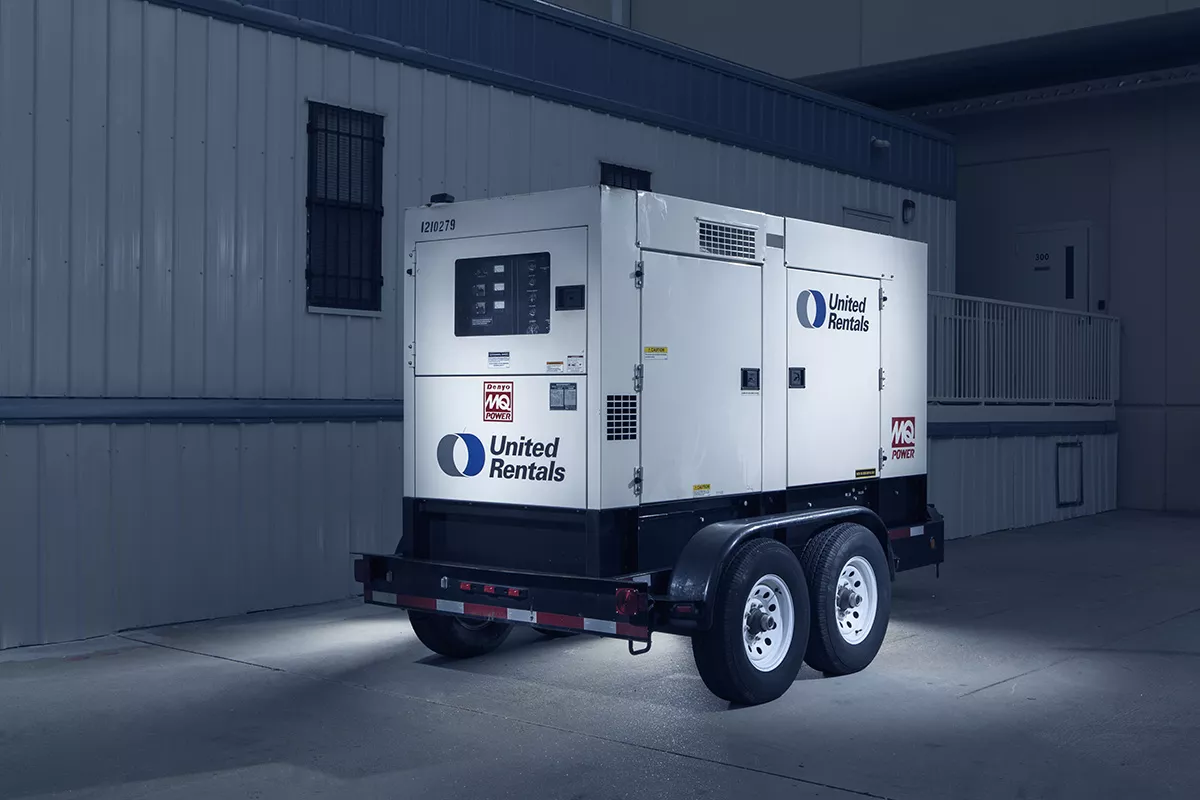
In some cases, you can address the problem fairly quickly by doing something like flipping on a backup generator. In case of a regional event, like a hurricane or flooding, the demand for a generator is typically higher than its supply. That's why having a business continuity provider that guarantees you timely delivery of a generator can help mitigate any further risks. However, sometimes the network outages may be long-lasting. In these cases, you need to start thinking about alternative ways of dealing with essential business tasks.
Emergency Messaging
If a disaster strikes, a landline phone system won’t be able to distribute the updates, immediately putting your workforce at risk. Reevaluate your communication methods, and if your business doesn't have an emergency notification system, it's time to set up the platform.

The purpose of a message is to reach a person. The best way to ensure delivery is to use as many communication channels as possible: text message, email, voice mail to both cell and home phones. The more options available, the more effective the system will be, and the message will be seen. Having emergency notification procedures in place is critical for multiple reasons. For one, threats like cyber-attacks, terrorist acts, workplace violence, and natural disasters can happen at any time. And they can put your operations and properties at risk. Besides, these types of disasters can cause harm members of the workforce who are working in your building. State, local, and federal regulations also require building owners to create emergency action plans along with life safety plans to keep their tenants, property managers, and visitors safe. With the emergency notification or incident management platform, you can more easily prepare for these disasters. You can also more readily respond to them when they do occur. In the end, you can protect both workers and your property. The right procedures will help you adequately inform tenants and their employees about what to do in a crisis. They will also minimize the impacts of a disaster on a business. Once you have your network up and running again, you need to start thinking about data recovery . Ideally, your workplace should have an automated data backup system in place that makes it easy to restore lost data. However, if your workplace did not plan, you may need to devote more time and energy to recover your essential data.
How to Keep Network Outages from Happening Again
If you want to avoid a lot of hassle and inconvenience, you need to have a dedicated plan for handling communication issues. Preparing in advance can save you time and money when disaster strikes. Having a business continuity strategy is essential for protecting your workforce, operations, and processes. One of the most common sources of business interruptions is power loss. Aside from offering power and generator services, our team at Agility can help your organization set up satellite or LTE connectivity. This can help keep your team connected with local networks go down. To safeguard essential data, make sure you have a data backup system in place. With a reliable appliance-based cloud backup solution, you can protect sensitive data from system problems. Follow this advice to supplement your business continuity strategy and protect your company from network and communication problems. As Agility Recovery members, businesses can keep functioning even when unexpected issues arise.
Experts are suggesting that the new technology is bound to leave people with no warning and time to evacuate.
Technology has mainly been deemed integral to progress. But what if decades of advancements in weather forecasting were retracted, and we wouldn’t be given any time to prepare for an approaching catastrophic storm? This scenario may just be a real one. Government’s science agencies believe it could happen due to a current race to deploy a 5G technology that promises higher speed for mobile networks. The leaders of NASA and NOAA warn that deployment of 5G networks can negatively impact the transmission of critical data, threatening the interests of science and national safety. Federal Communications Commission (FCC) seems to be on polar stands with the National Telecommunications and Information Administration (NTIA), NASA, and NOAA. The dispute regards wavelength frequencies currently used by public and private weather satellites, weather balloons, and ocean buoys to predict the weather. Raising many concerns with meteorologists, the debate is intensified by the nearing WRC conference that convenes nations every three years to revisit international regulations on radio spectrum usage.

Experts are worried about losing potential access to specific portions of the electromagnetic spectrum meteorologists rely on for Earth observation. The infamous 5G technology is planned to use the spectral bands and the adjacent bands. And if the wireless technology moves into the said bands, there’s a risk of interference. Passive microwave sensors pick up a feeble signal that could easily be drowned out by transmission in an adjacent band. Without accessing microwave sensor data, it would be impossible for forecasters to have predicted the path of Hurricane Sandy, which struck the Eastern seaboard in 2012, claims Jordan Gerth , a researcher at the University of Wisconsin’s Cooperative Institute for Meteorological Satellite Studies. The heated argument involving Mr. Gerth and CTIA, the trade group representing the U.S. wireless comms industry, was taken to Twitter. Previously, CTIA called the microwave sensor as “ fake ”, and that it “ never went into use .”
“The dire predictions about the impact of #5G on current weather forecasting are wrong on the merits, on the facts, and on the process.” -EVP Brad Gillen on how we can—and will—have 5G and weather forecasting. Read more: https://ctia.it/2MdJlur
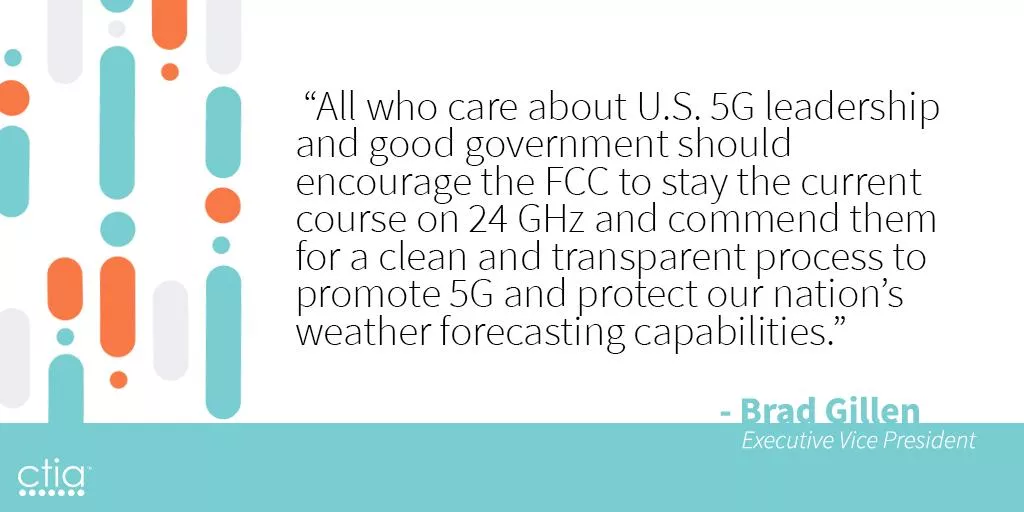
In response to that, Gerth tweeted that CTIA’s blog post is “misleading.” He specified that the canceled sensor was replaced by a similar model used by NOAA and other international agencies. It appears the parties involved in the conflict remain on the opposite sides of the spectrum. Mark Norton, Agility’s Test and Declare Manager expressed his hope, saying, “The Sounding of the alarm is out of the abundance of caution, but it certainly seems to carry merit.”
“What will we do if our primary facility is inaccessible? Easy. Our employees will work from home.” We hear this a lot. If your primary facility isn’t available, it makes sense to have employees work from home. Thanks to the cloud, a work-from-home (WFH) alternate workspace strategy is cheaper and more doable than ever before. But what happens when your entire workforce needs to work from home? It sounds extreme, but we’ve seen it happen. Before writing off alternate facilities, think about how a WFH strategy would work for your entire business (or branch). Here are the top issues to consider.
Business Processes
For WFH to go smoothly, you must design business processes to accommodate remote work. The three principles of a successful WFH strategy are:
- – Communication
- – Coordination
- – Culture
During a business interruption , all departments must be able to communicate and solve unforeseen business challenges. Is WFH currently a strong part of your business culture? If not, trying to adapt to a remote workflow in the middle of a crisis will not go over well. Don’t forget about factors that might complicate WFH arrangements, such as supply chain interruptions or seasonal demands.
Plan to have employees work from home during an interruption? Consider how you’ll address these factors:
- – Functions or departments that involve high levels of in-person collaboration.
- – Precautions for handling sensitive data.
- – Supply chain interruptions.
- – Season demands.
Clearing these obstacles with many employees working remotely could be tricky, especially if there are connectivity issues. This brings us to our next point.
Connectivity
No matter where they work, employees need to have access to the resources they need to do their jobs: voice and data communications, power, phones, computers, etc. After major “perfect storms” (which are becoming the new normal ), cell phone, power, and internet connectivity might not be available. For example, after Hurricane Harvey hit Rockport, Corpus Christi and Port Aransas in Texas, wind damage knocked out power and communications. WFH wasn’t even an option for businesses in those areas. In Houston, WFH seemed to be an ideal strategy. Countless roads closed, floodwaters lingered for days, and offices were destroyed. Although the city experienced record levels of flooding, the communications and power infrastructure proved resilient. For many companies, it just made sense to have employees work remotely. But many businesses hadn’t thought through the logistics of the entire company working remotely. The sudden influx of remote employees taxed company resources: VPN licenses, bandwidth availability of VPN concentrators at the home office, etc. How would you handle your entire business working remotely? Think about how you’d respond to the following potential issues:
- – Employees might not have the right equipment, whether because they weren’t issued company-approved hardware in time or because it’s trapped inside the home office.
- – Internet connectivity in employees’ homes isn’t always reliable.
- – A significant increase in remote workers can overload the VPN.
- – Employees not used to working from home might have trouble logging in.
- – Company phone systems might not be compatible with employees’ personal devices.
- – Vulnerable network connections increase the risk of sensitive data exposure.
- – Employees are more likely to use personal devices without appropriate security settings.
The higher your ability to address potential connectivity challenges , the more likely WFH is to succeed. But that’s only one part of the equation.
Employee Needs
Some employees thrive on the solitude and familiarity of working from home. For others, it’s simply not a good fit. Maybe they’re too easily distracted by the piles of laundry that need to be folded, a loose doorknob that needs to be fixed or kids popping in to say hi every five minutes. In the aftermath of a catastrophic event, employees might not have much of a home to work from. After Harvey, for example, many of our clients in Houston had employees whose homes had been flooded. Imagine juggling your job and your search for a reasonable contractor, all while sitting in a room with no drywall and damp, exposed subfloor. Employees may not want to work from home in these scenarios. After Hurricane Katrina, employees of one of our bank customers were thankful to have an air-conditioned Mobile Recovery Center to work from because it still had air conditioning, and many of their homes did not. You might have solid remote working processes in place and a plan for connectivity issues, but if the work ethic isn’t there, WFH isn’t going to, well, work. Make sure you consider the human side of business continuity and identify your employees’ needs ahead of time.
Duration
If employees aren’t a good fit for WFH or if business functions are better suited for in-person interaction, how long can you sustain remote working arrangements? Of our clients who had employees working from home following Harvey, they reported that WFH worked well for about a week. After that, internal processes began breaking down. Consider all the factors we discussed above and the possibility that WFH might not be the only strategy you’ll have to implement. If your facility is inaccessible for a period of time that exceeds your ideal time frame for WFH, have a plan to transition to an alternative facility. To be clear, WFH isn’t a bad strategy across the board. It’s just not always as simple as it seems, and it shouldn’t be the only alternate workspace strategy.
JUNE OPERATIONS REPORT ON BUSINESS INTERRUPTIONS
In June, we deployed resources to three of our customers experiencing business interruptions. Seven additional customers placed us on standby after potential disruptions to critical business operations. Our teams faced a few planned interruptions, some weather related events, and even a bat infestation. There’s never a dull moment when it comes to supporting our customers and delivering on our promise. It truly isn’t a question of IF, but WHEN. – Agility CIO, Operations We also supported 12 ongoing customer recoveries and facilitated 30 customer test exercises throughout the month.
Our Team Performed Three Physical Recoveries
-
Training Class Needs Laptops
When this state government organization has a new training class, they need temporary laptops. They use our QuickShip technology service to smoothly run training operations without the cost of owning, maintaining, and replacing extra IT equipment. When they called us in June, we immediately shipped them 15 laptops with their computer image already loaded. Because we do not charge our customers a usage fee for our technology hardware, they paid only the shipping costs. -
Retailer Loses Power
This national retailer received notice about 3 days in advance of some nearby utility work that would cause a 7-day outage to their location in Torrance, CA. The store could not afford to close and did not want to force hourly wage workers to forgo a week’s paycheck. They called our operations team to request an on-site generator to power the store and remain open with no disruption. Our team deployed a 300kW generator the evening prior to the planned outage, ensured proper connection, and scheduled multiple fuel drops throughout the event. -
Insurance Firm Confronts Internet Loss
Our Fort Worth customer was in the process of moving offices when they learned they could not have internet service in the new building for two weeks. As with many commercial construction projects, there are inevitable delays. The firm needed connectivity to perform all of their critical business functions, especially their core service: verifying insurance coverage for commercial entities doing business together. A two-week interruption would have been catastrophic to their bottom line and their customers’ business processes. Their operations manager called our hotline and explained their needs. Our operations team shipped a switch and two LTE Cradlepoint devices the same day. They used the devices until their local internet was connected, saving their reputation and revenue.
We Saw These Other Unexpected Events
-
Colony of Bats Makes New Home in Insurance Agency
This local affiliate of an independent insurance agency recently discovered a bat infestation in their offices. Because bats create waste that causes contamination and disease, local authorities condemned the building until remediation could take place. -
Rain Floods Credit Union
This regional credit union in southwestern Texas near the Rio Grande River Valley operates 13 branch offices and serves more than 45,000 members. Following the largest rainstorm in the area in 15 years, their Mission, Texas location was forced to close its doors.The water damage to this location caused our customer to close and redirect members to an alternate branch nearby.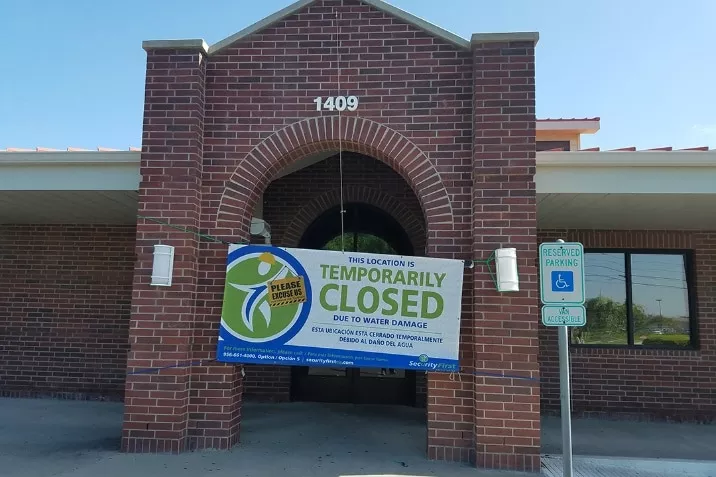
-
Water Shut Off at Insurance Firm
This Toronto non-profit covers dental providers with insurance and investment services. A massive water main break nearby left them with no water service, forcing them to consider shuttering the office of over 70 employees. Without water, no bathroom facilities would function properly. -
Online Retailer Loses Power
This customer learned a critical lesson about the importance of planning during a power outage at their Seattle, Washington location. A local distribution facility for this global online retailer experienced multiple rolling brown and blackouts forcing them to halt operations. This facility housed large refrigeration units to allow for fresh food delivery in local markets. Unfortunately, this location wasn’t covered under our services and they had not submitted their specifications for temporary generator power. Luckily local power was restored in time to prevent any loss of inventory, but on-site leadership made sure to request coverage by us and completed their generator requirements worksheet for the next time temporary power is needed.
Additional Notable Alerts
- Large Investment Firm – Warrendale, PA – Alert for replacement technology due to water damage caused by power fluctuations
- National Retailer – Wilkes-Barre, PA – Alert for temporary power due to nearby tornado damage
- Regional Credit Union – Perry Point, MD – Alert for mobile bank branch recovery due to a vehicle vs. building accident
Ongoing Business Recoveries from Prior Months
We also supported 12 other ongoing recoveries during the month of June including the following:
- Regional Bank – Billings, MT – ReadyFinancial mobile bank branch to a building fire
- Regional Credit Union – Dudley, MA – Planned relocation due to branch renovation
- Regional Bank – Elberton, GA – Planned relocation due to branch renovation
- Medical Equipment Supplier – Jacksonville, FL – Site-to-site VPN Cradlepoint device due to ISP outage
- Global Logistics Firm – Atlanta, GA – Communications recovery due to an office relocation
- Global Online Retailer – Seattle, WA – Temporary restrooms due to increased staffing
- Private Country Club – Clifton, NJ – Planned relocation due to facility renovation
- Local Credit Union – Gadsden, AL – Planned recovery due to new employee training
- Regional Credit Union – St. Petersburg, FL – Planned recovery due to new branch construction
- Regional Bank – Houston, TX – Planned long-term relocation due to closure of an existing location
- Small Municipality – Cavendish, VT – Office space recovery due to a building fire at a garage facility
- Small Municipality – Lafayette, OR – ReadySuite mobile recovery due to a building fire at one of their utility plant locations